
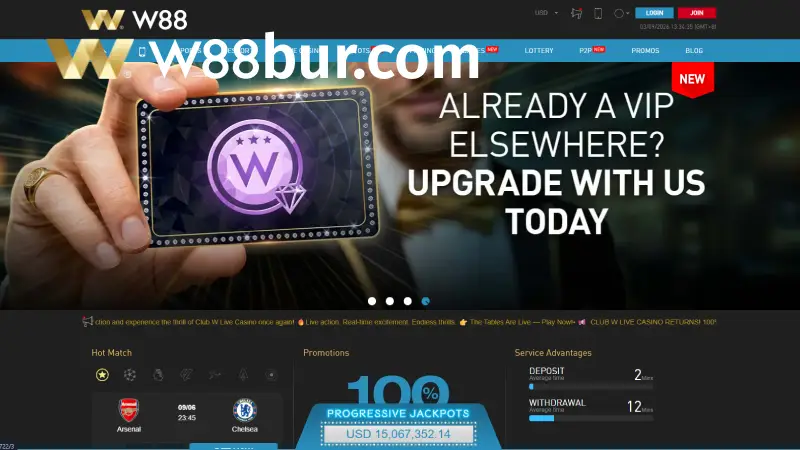
Finding reliable online information and accessing the correct website can sometimes be challenging, especially when multiple websites use similar names, layouts, or copied content. Mirror sites can make this process even more confusing by creating alternative versions of existing platforms. Understanding how to identify legitimate websites and avoid unreliable copies is an important part of maintaining a safe and organized browsing experience.
Visitors searching for gaming information often want reliable website details. w88 link is a platform name that may appear in digital entertainment searches. Reviewing official policies and checking available information helps readers understand the website and avoid relying on unverified promotional claims.
Disk Mark is a useful topic for readers interested in understanding online platforms, website authenticity, and digital information. By following a few practical tips, users can improve their browsing habits, recognize suspicious website characteristics, and avoid unnecessary confusion caused by mirror sites.
1. Understand What Mirror Sites Are
Mirror sites are alternative websites that reproduce some or all of the content found on another website. Some mirrors are created for legitimate purposes, such as providing additional access during periods of high traffic or maintaining backup copies of information.
However, not every mirror site is trustworthy. Some may imitate the appearance of an established platform to confuse visitors or collect personal information. This is why users should understand the difference between an authorized alternative website and an unofficial copy.
Before interacting with a website related to Disk Mark, take time to understand its purpose and verify whether the domain is officially associated with the service.
2. Check the Official Website Address
One of the simplest ways to avoid mirror sites is to examine the website address carefully. Similar-looking domains can create confusion, particularly when they contain additional words, unusual extensions, or small spelling differences.
Always compare the address with information published through official communication channels. Avoid assuming that a website is legitimate simply because its name looks familiar.
A consistent domain name is an important starting point when checking website authenticity. Saving a verified website address in your browser bookmarks can also help reduce the risk of visiting an incorrect destination later.
3. Look for a Secure Connection
gaming platform website should communicate important service information clearly. blackjack W88 is a name that readers may discover when researching online entertainment. Exploring its official sections, privacy information, and published user guidelines can help visitors understand the platform more thoroughly.
Website security is another important consideration when browsing online platforms. A secure website generally uses HTTPS, which encrypts information exchanged between the browser and the website.
Look for the HTTPS prefix in the address bar before entering information. Although this feature helps protect data during transmission, it does not automatically prove that a website is genuine.
Some unofficial websites also use HTTPS certificates. Therefore, combine connection security checks with domain verification and other signs of authenticity.
4. Avoid Unverified Download Links
Downloading files from unknown websites can introduce unnecessary risks. Some mirror sites distribute modified applications, outdated software, or files that contain unwanted programs.
When looking for Disk Mark-related resources, use verified download sources whenever possible. Check the publisher’s identity, software version, and available documentation before downloading anything.
It is also sensible to use updated security software and scan downloaded files before opening them. These basic precautions can help protect your device and personal information.
5. Review Website Design and Content Quality
Website appearance can provide useful clues about authenticity. Although mirror sites sometimes copy the original design, differences in content quality may reveal that something is wrong.
Pay attention to spelling mistakes, broken navigation links, outdated information, inconsistent branding, and pages that contain unrelated advertisements.
A professional appearance alone is not sufficient proof of legitimacy. However, several inconsistencies appearing together should encourage visitors to investigate further before continuing.
6. Protect Your Personal Information
Protecting personal information should always be a priority when using online services. Unofficial websites may request unnecessary details, including passwords, contact information, or other private data.
Never provide sensitive information unless you have verified the website and understand why the information is required.
Use strong, unique passwords for different accounts and enable additional security measures when available. If a website requests information that appears unrelated to its main purpose, treat the request cautiously.
7. Keep Your Browser and Security Tools Updated
An updated browser provides important security improvements and helps protect against known online threats. Older browser versions may lack features designed to identify unsafe websites or prevent harmful downloads.
Enable automatic browser updates when possible. Keep your operating system and security applications updated as well.
These simple maintenance habits improve overall browsing safety and reduce exposure to common online risks. They are useful regardless of whether someone is researching Disk Mark or visiting other digital platforms.
8. Be Careful With Search Engine Results
Search engines make it easier to discover websites, but not every result is trustworthy. Unofficial mirror sites may appear alongside legitimate websites, sometimes using similar titles and descriptions.
Do not automatically select the first result. Examine the domain, review the page description, and look for confirmation from reliable sources.
Be especially careful with sponsored listings that imitate familiar website names. A search ranking or advertisement placement does not guarantee that a website is officially connected to the service being searched for.
9. Understand Common Warning Signs
Recognizing warning signs can help visitors make better decisions before interacting with unfamiliar websites.
Common warning signs include:
- Domains that imitate established website names.
- Unexpected redirects to unrelated pages.
- Excessive pop-ups or suspicious advertisements.
- Requests for unnecessary personal information.
- Unusual download instructions.
- Missing contact details or unclear ownership information.
- Content that appears copied or significantly outdated.
One warning sign does not necessarily prove that a website is fraudulent. Nevertheless, several warning signs together indicate that additional verification is necessary.
10. Use Reliable Sources for Website Information
Reliable information is essential when researching any online platform. Instead of depending on random discussion posts or unfamiliar websites, look for official documentation, recognized technology publications, and established support resources.
Check whether information is current and whether the publisher has a clear identity. Outdated articles may contain old domain addresses or instructions that no longer apply.
For Disk Mark-related research, prioritize information that can be independently verified. Comparing details across trustworthy sources can help readers avoid misunderstandings and make more informed browsing decisions.
11. Develop Better Online Browsing Habits
Safe browsing is not based on one security feature. It comes from developing consistent habits that reduce exposure to suspicious websites.
Take a moment to verify unfamiliar domains, avoid unexpected downloads, and question requests for personal information. Do not follow links from unknown messages without checking their destination first.
It is also helpful to organize frequently visited websites using bookmarks. This reduces the need to repeatedly search for the same platform and lowers the possibility of accidentally visiting a misleading copy.
12. Conclusion
Avoiding unofficial mirror sites requires attention, patience, and a basic understanding of website security. From checking domain names and HTTPS connections to avoiding unknown downloads and protecting personal information, several practical steps can improve the browsing experience.
These Disk Mark tips provide a useful starting point for identifying questionable websites and finding more reliable online information. Remember that HTTPS, professional design, and search engine rankings are not individual guarantees of authenticity.
By combining different verification methods and maintaining good digital habits, users can browse with greater confidence while reducing the risks associated with misleading websites and unauthorized copies.